



The May 2026 release of SSI ShipConstructor 2027 and ShipbuildingPLM 4.0 helps shipbuilders improve production efficiency, strengthen change traceability, and work with the latest environments.
ShipConstructor 2027 introduces platform upgrades, faster structure-part identification, more flexible cable support modelling, improved volume generation accuracy, and new electrical training content. ShipbuildingPLM 4.0 strengthens catalog change management, expands the scope of SSI Catalog Release Orders, and upgrades the underlying Aras Innovator platform for a modernized user experience and improved large-instance performance.
Shape the next SSI release
Take our quick survey to help us understand how you use SSI products.
What’s New
ShipConstructor
ShipConstructor is a complete solution for the 3D design, engineering and construction of ships, extending from basic or functional design to detail and production design.
ShipConstructor 2027 adds support for AutoCAD and Navisworks 2027, new structure stock naming convention options, zero-space-allocation cable support modelling, expanded Fit Compartment object support, and a new SSI Certified Training course for Electrical Space Allocations.
ShipbuildingPLM
ShipbuildingPLM is a shipbuilding-specific PLM (product lifecycle management) platform that is the backbone for change control and managing vessel/program data, configuration, approvals, workflows, and downstream deliverables.
With ShipbuildingPLM 4.0, we’ve strengthened catalog traceability and change management and upgraded ShipbuildingPLM’s foundation to Aras Innovator 38, bringing a modernized interface and quality-of-life enhancements across the system.

Join the SSI team on May 21 at 8am PST (11am EST, 5pm CET) for a webinar first look at all the improvements now available in ShipConstructor 2027 and ShipbuildingPLM 4.0.
Register NowDetailed Enhancements
Stay current with the latest design, review, and data platforms
Annual platform upgrades
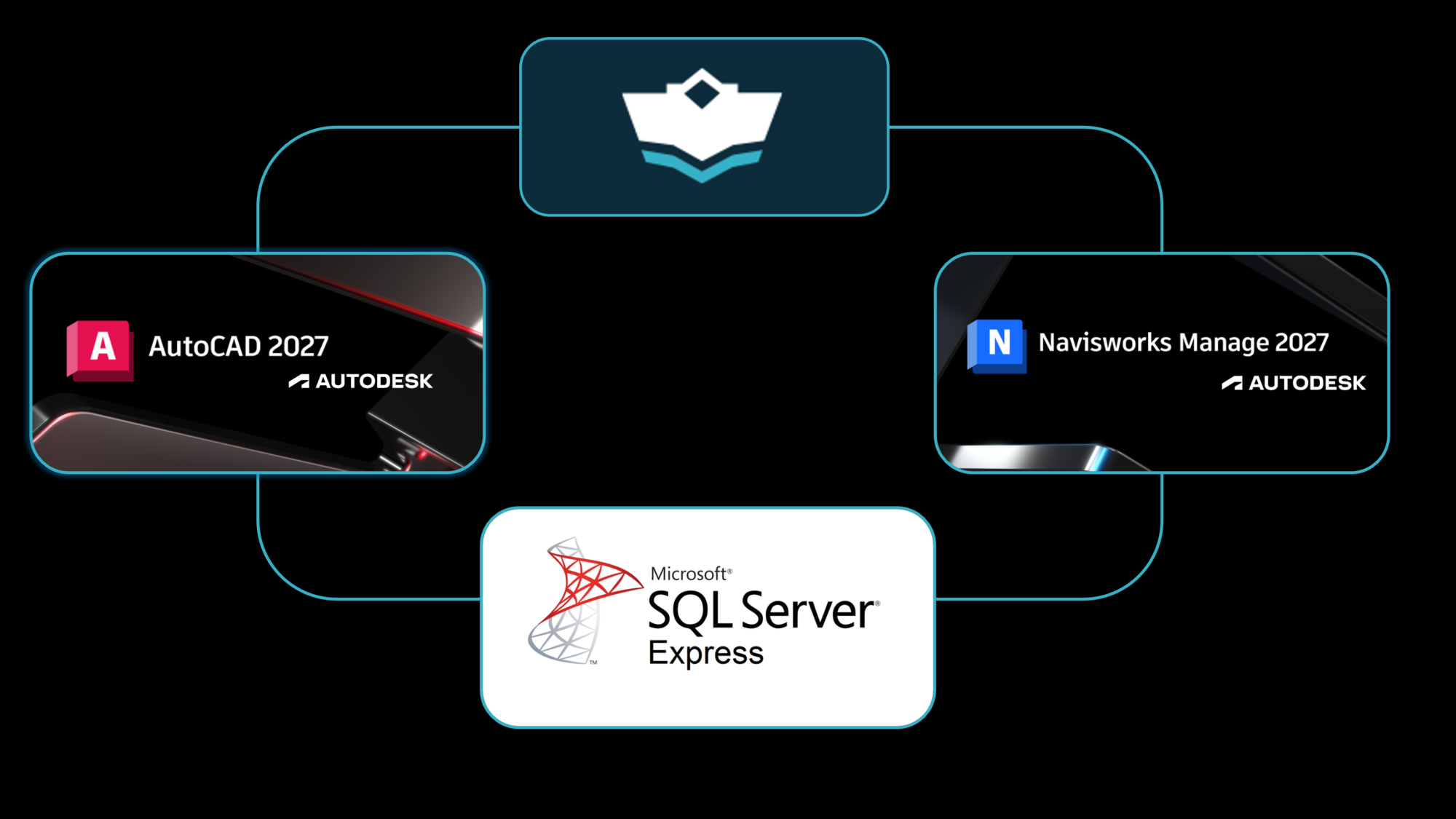
ShipConstructor 2027 now supports AutoCAD 2027 and Navisworks 2027, helping users remain current with the latest supported design, engineering, review, and database environments.
Save time with clearer structure-part naming
Structure stock naming conventions
- Add stock name directly to structure-part naming conventions.
- Improve downstream clarity for modellers, checkers, reviewers, builders, and surveyors.
- Reduce the time needed to identify stock information during review and production.
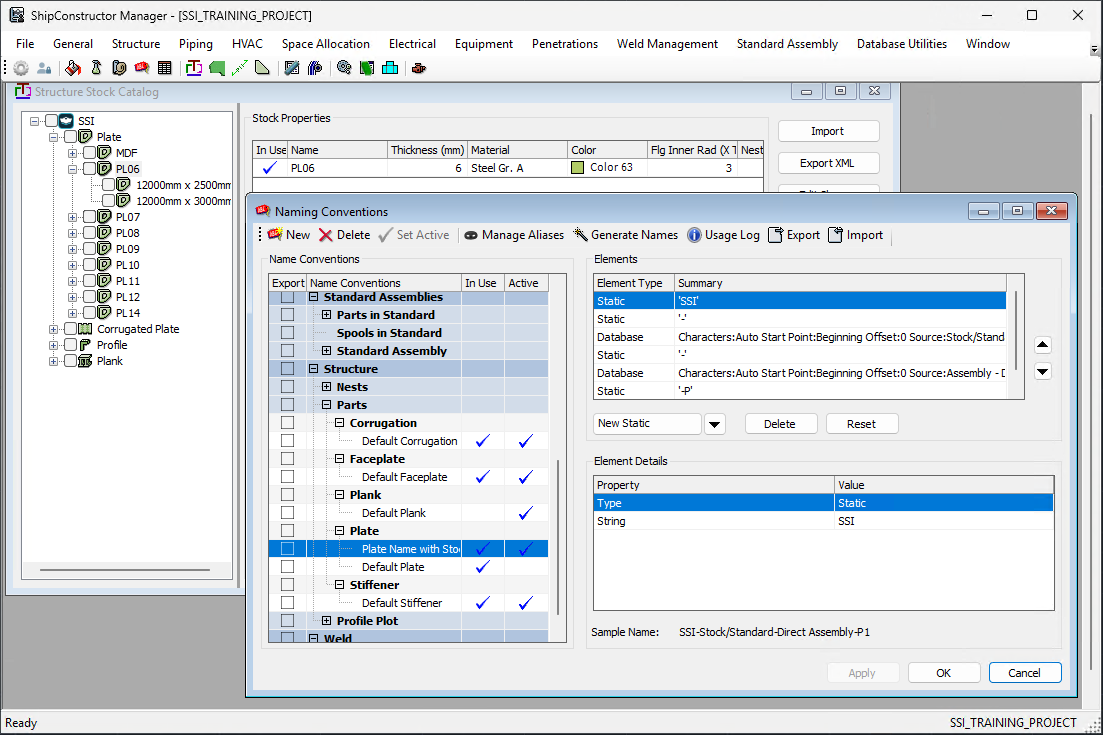
Naming conventions control how ShipConstructor automatically names project elements such as drawings, parts, spools, and penetrations. In ShipConstructor 2027, stock name has been added to structure naming conventions.
Including the stock name in structure-part naming conventions makes it easier for teams to see stock information directly alongside the part. This reduces the need to search for stock details separately and helps improve clarity across modelling, checking, review, construction, and survey workflows.
Improved Electrical capabilities and training
Zero space allocation cable support modelling
- Model cable supports without first creating an associated space allocation.
- Reduce unnecessary complexity in confined or congested areas.
- Support a more straightforward workflow for building out wireway supports.
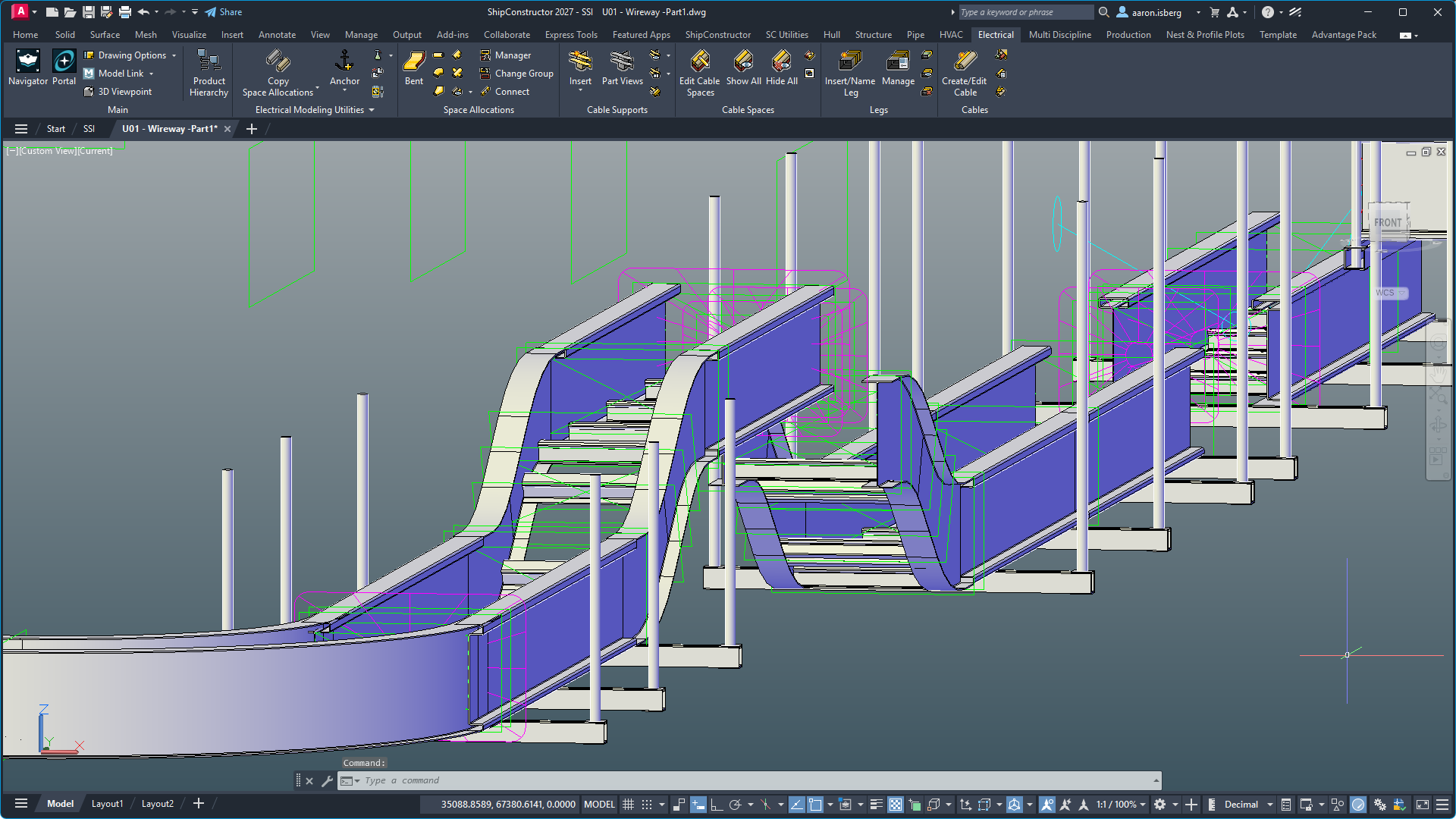
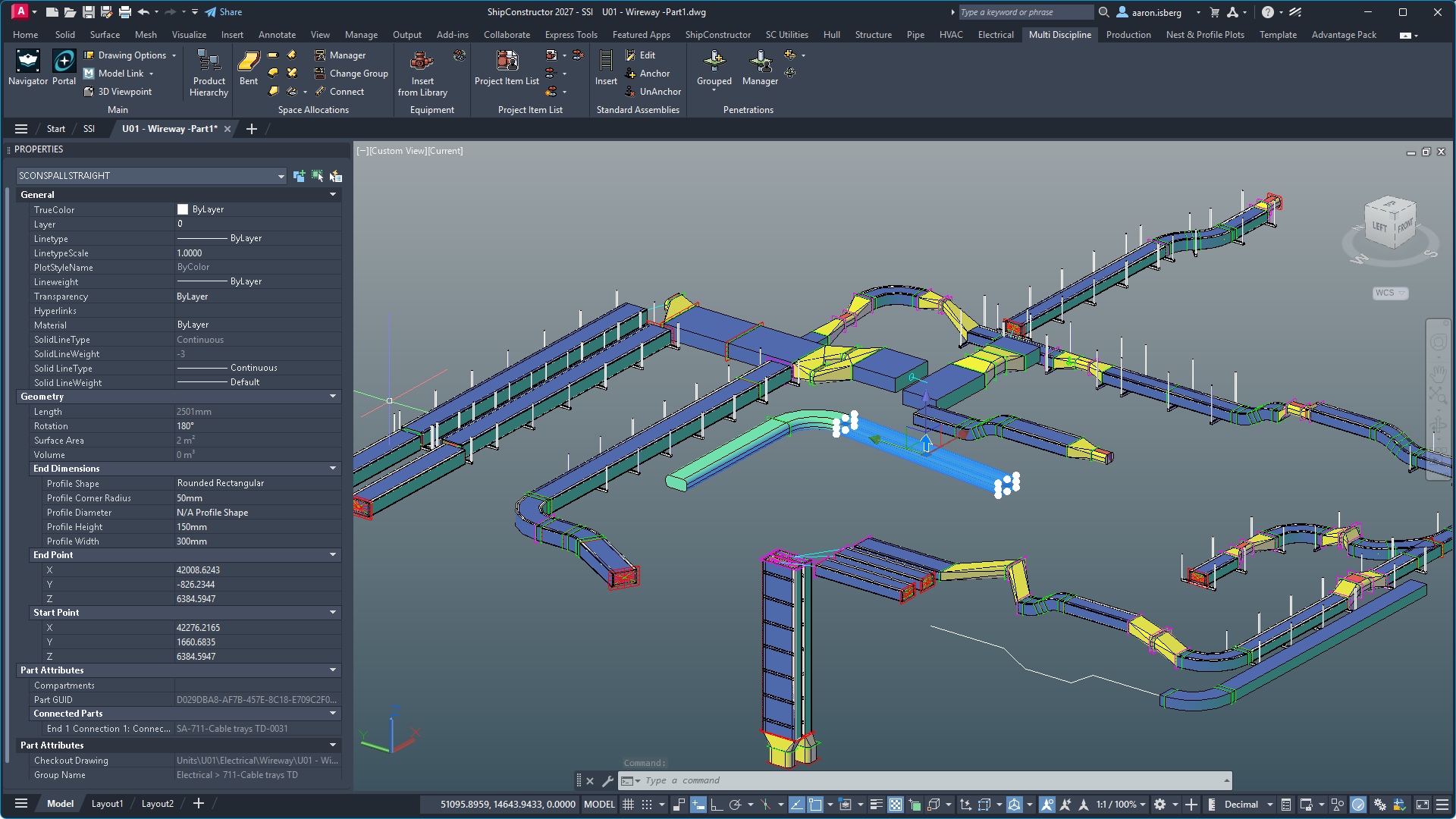
Previously, cable supports required an associated space allocation before they could be modelled. This added extra steps, especially when working in confined spaces or congested regions of a ship.
ShipConstructor 2027 removes this requirement. Cable supports such as trays and hangers can now be modelled without any associated Space Allocations.
This gives designers more flexibility when building out wireway supports first, which can be especially useful when routing cables through crowded areas or when teams prefer to establish support layouts before completing the cable routing workflow.
Certified Training: Electrical Space Allocations
- Access structured, self-serve training for electrical workflows.
- Provide consistent learning materials across teams.
- Begin building electrical knowledge through guided exercises focused on Space Allocations.
SSI Certified Training courses provide clients and users with structured, consistent, and up-to-date learning materials in a self-serve format. These courses help organizations ensure personnel receive a common foundation when learning SSI products and workflows.
With this release, SSI Certified Training is introducing the first course in a new series of Electrical-related learning materials. The first course focuses on Electrical Space Allocations, with structured exercises that guide users through the use of space allocations within electrical systems.
Improve volume generation accuracy
Expanded Fit Compartment object support
- Include Space Allocations in Fit Compartment output.
- Include Standard Assembly Instances in generated volumes.
- Include Cable Supports for more accurate volume results.
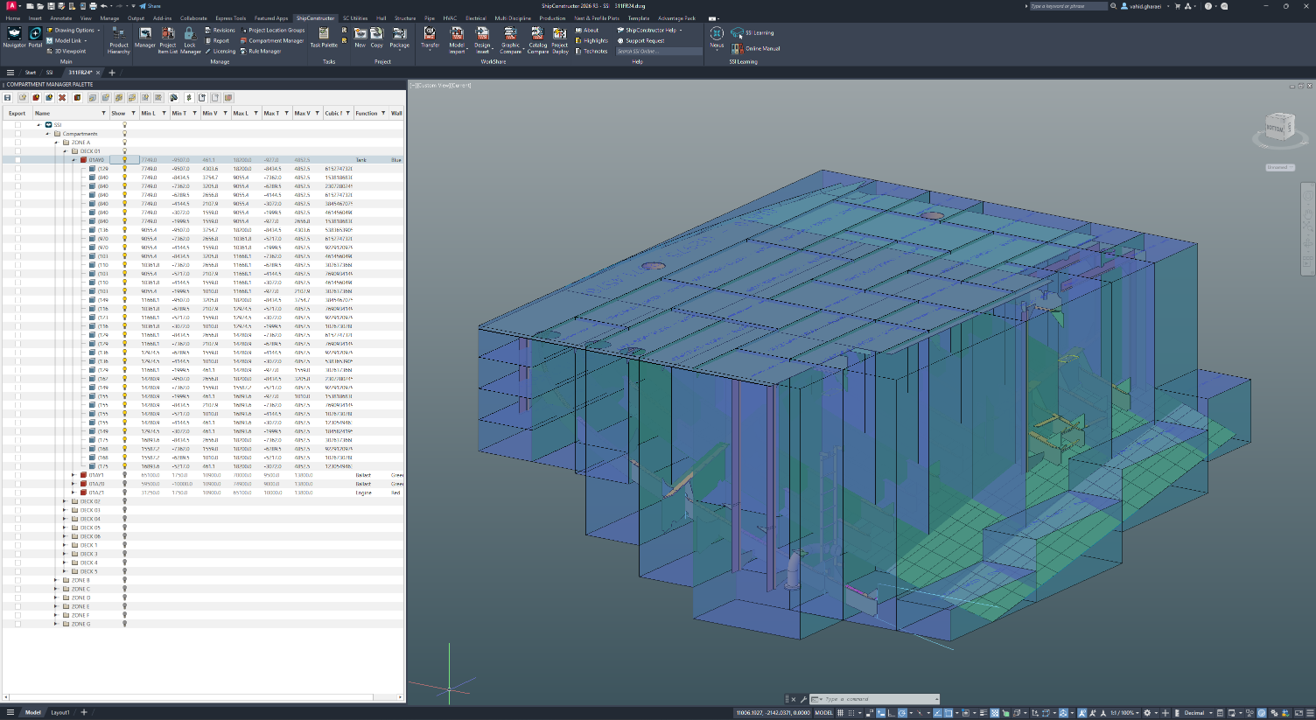
Fit Compartment has been expanded to include additional object types when generating volumes.
When using the Fit Compartment feature, 3D shape and location details for Space Allocations, Standard Assembly Instances, and Cable Supports are now included. This increases the accuracy of the generated set of volumes and helps teams produce outputs that better reflect the complete project environment.
Strengthen catalog traceability and capability
Revisions on Part Catalog items
- Manage Part Catalog items through revisions.
- Support change management for Accessories and Accessory Packages.
- Improve digital thread traceability across catalog changes.
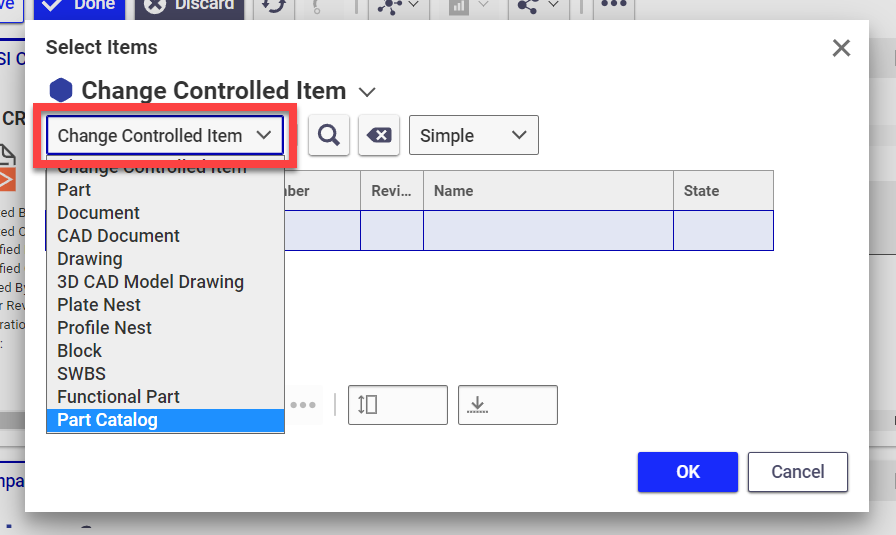
ShipbuildingPLM 4.0 introduces revision support for Part Catalog items, making them fully versionable and change-managed. This also applies to Accessories and Accessory Packages.
Previously, when a catalog item changed, users often needed to create an entirely new catalog item to represent that change. With revisions, teams can better preserve the relationship between previous and current catalog information, supporting a clearer and more traceable digital thread.
This helps shipbuilders manage catalog evolution with more control, better history, and stronger alignment between engineering, supply chain, and downstream execution.
Manage catalog release changes with more complete scope
- Cancel SSI Catalog Release Orders while preserving better traceability.
- Include CAD Documents and Documents in the SSI Catalog Release Order.
- Manage important Vendor Furnished Information within a single change object.
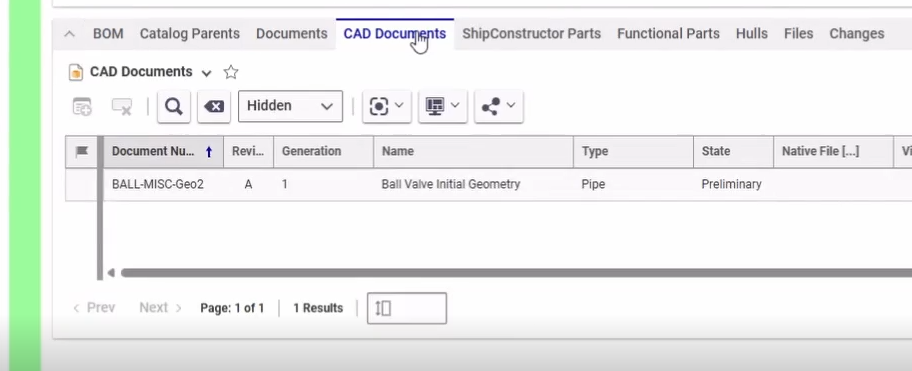
ShipbuildingPLM 4.0 improves the SSI Catalog Release Order workflow by adding support for cancelling an SSI Catalog Release Order. This helps preserve traceability when a catalog release process needs to be stopped or changed.
Users can now include CAD Documents and Documents in the SSI Catalog Release Order, making it easier to fully scope a catalog-related change within a single change object. This is especially important when those documents contain Vendor Furnished Information that needs to be considered as part of the change process.
New properties have also been added to Catalog items to help teams manage Vendor Furnished Information in this context.
Improve catalog readiness with maturity tracking
- Indicate when a Catalog item has reached an acceptable level of refinement.
- Support Form, Fit, and Function decision-making.
- Improve clarity around catalog item readiness.
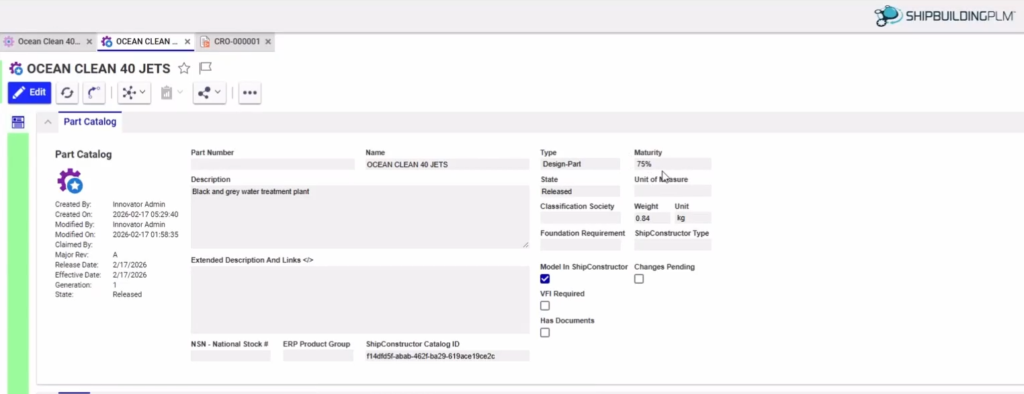
ShipbuildingPLM 4.0 adds a new Maturity property for Catalog items. This property helps teams indicate when a catalog item has reached an acceptable threshold of refinement for meeting Form, Fit, and Function requirements.
By making maturity visible, teams can better understand whether a catalog item is ready for use, still under refinement, or requires additional review before it is relied on downstream.
Work with the latest Aras Innovator platform
Edit large grids faster
- Use Excel-like actions for bulk edits.
- Reduce the time spent editing one cell at a time.
- Improve efficiency in grids such as Work Package Contents.
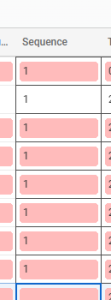
Aras 38 introduces drag and multi-cell editing, allowing users to make bulk edits using familiar Excel-like actions. Instead of editing a single cell at a time, users can make broader updates more efficiently across supported grids.
This is especially useful in areas such as the Work Package Contents grid, where teams often need to review and update multiple values during planning and execution workflows.
Find and enter values more quickly with type-ahead input
- Enter values with type-ahead text input.
- Reduce reliance on modal picker dialogs.
- Speed up common data entry workflows.
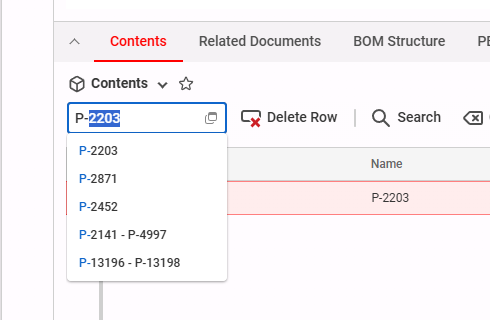
ShipbuildingPLM 4.0 also improves data entry with type-ahead text input. Users can enter values more directly rather than always relying on modal picker dialogs.
This makes common editing tasks faster and more fluid, especially when working with familiar values or making repeated updates across large grids.
Additional Enhancements

Other Fixes and Improvements

Aras 38 Upgrade
ShipbuildingPLM 4.0 upgrades the platform to Aras Innovator 38, giving users access to the latest Aras Innovator capabilities supported by SSI.
This upgrade introduces a modernized and refreshed user interface that impacts the full system and includes many smaller quality-of-life improvements across day-to-day workflows.

New content on SSI Nexus
Register for the Webinar
Register for the webinar below to watch it live or recorded and see these new features and improvements in action. There’s no better way to experience what’s new for this release.

Shape the next SSI release
Take our quick survey to help us understand how you use SSI products.
System Requirements
| Supported Client Operating Systems | Windows 11 |
| Supported Server Operating Systems | Windows Server 2025, 2022 |
| .Net Framework | .NET 10 (installed automatically) |
| SQL Servers | MS SQL Server 2022 CU 4+, 2019. SQL Server 2022 Express is included with the installer. Note: Express editions are suitable for projects with 5 or fewer users only. SQL Enterprise 2019+ for WorkShare Teams |
| Supported AutoCAD Platforms | 2027 AutoCAD, AutoCAD Mechanical, AutoCAD Plant3D (for ShipConstructor P&ID Design Validation functionality of Pipe) |
| Supported Navisworks Versions | 2027 Navisworks Simulate, Navisworks Manage |
| Side-by-side Installation Compatibility | ShipConstructor 2027 can be installed side-by-side with any previous major ShipConstructor version; each installed version of ShipConstructor requires its own dedicated instance of AutoCAD. |
| Supported Aras Innovator Versions | Aras Innovator 38 |
SSI Installation Guide
Access the latest ShipConstructor manual on SSI Nexus for detailed installation instructions and system requirements for this release.
Download Information
To download this release, visit the downloads section of SSI Nexus. There, you can get access to all the latest SSI releases.
Purchasing Information
For information on this release, to purchase the software, or to renew your Subscription contact an SSI Representative.