


The February 2026 release of SSI ShipConstructor 2026 R4 and ShipbuildingPLM 3.3 strengthens day-to-day execution in a model-based environment by improving synchronization across projects, expanding penetration automation, speeding up production drawing outputs, and deepening the link between departments for change execution.
Shape the next SSI release
Take our quick survey to help us understand how you use SSI products.
What’s New
ShipConstructor
ShipConstructor is a complete solution for the 3D design, engineering and construction of ships, extending from basic or functional design to detail and production design. The enhancements in 2026 R4 help shipbuilders and designers reduce rework and speed production outputs by enabling faster sister-ship synchronization, expanding managed penetrations through profiles and through equipment like doors and hatches, adding penetration BOM support, and improving drawing annotation and labeling usability.
ShipbuildingPLM
ShipbuildingPLM is a shipbuilding-specific PLM (product lifecycle management) platform that is the backbone for change control and managing vessel/program data, configuration, approvals, workflows, and downstream deliverables. With ShipbuildingPLM 3.3, managers and teams responsible for tracking change progress will have more visibility into their status, without changing the work package import schedule

Join the SSI team on February 26 at 8am PST (11am EST, 5pm CET) for a webinar first look at all the improvements now available in ShipConstructor 2026 R4 and ShipbuildingPLM 3.3.
Register NowDetailed Enhancements
Synchronize sister ships with less manual cleanup
Project Item List (PIL) Compare
- Reduce time spent tracking down mismatched associations across projects.
- Improve confidence that parallel projects stay aligned as changes accumulate.
- Make synchronization workflows easier to review and act on.
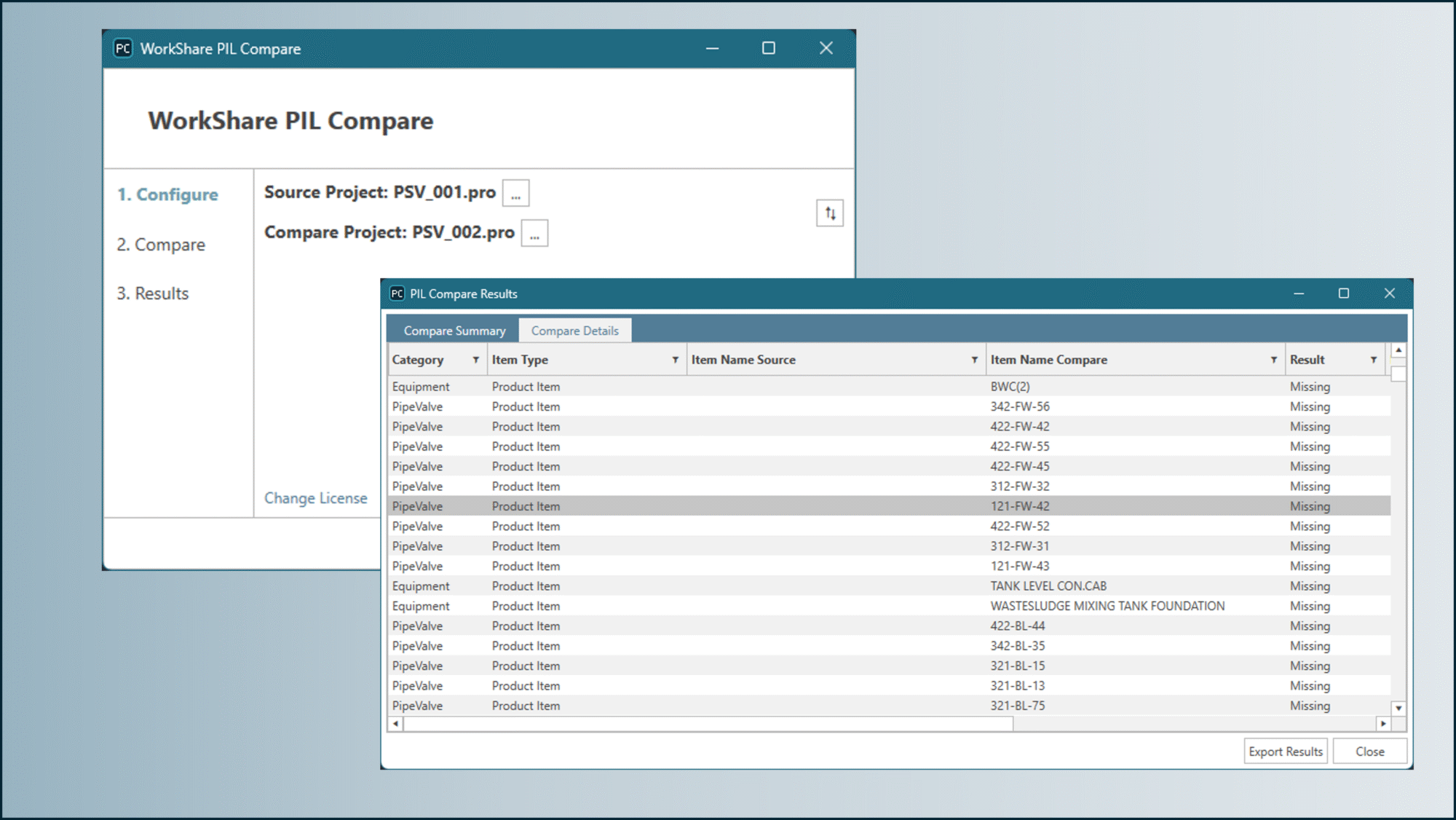
When you are keeping sister ships aligned, small differences can quickly turn into time-consuming reconciliation work. PIL Compare streamlines synchronization by letting teams compare Project Item Lists between two projects, then review results in a clear format that supports sorting and action. This capability also supports the transfer of PIL associations within WorkShare Transfer, helping teams apply changes consistently across related projects.
Manage and route systems and equipment more efficiently
Profiles as penetrables
- Reduce manual effort and special-case modeling when routing through profile parts.
- Penetration management across more real-world conditions.
- Improve downstream clarity with automatic part marking support.
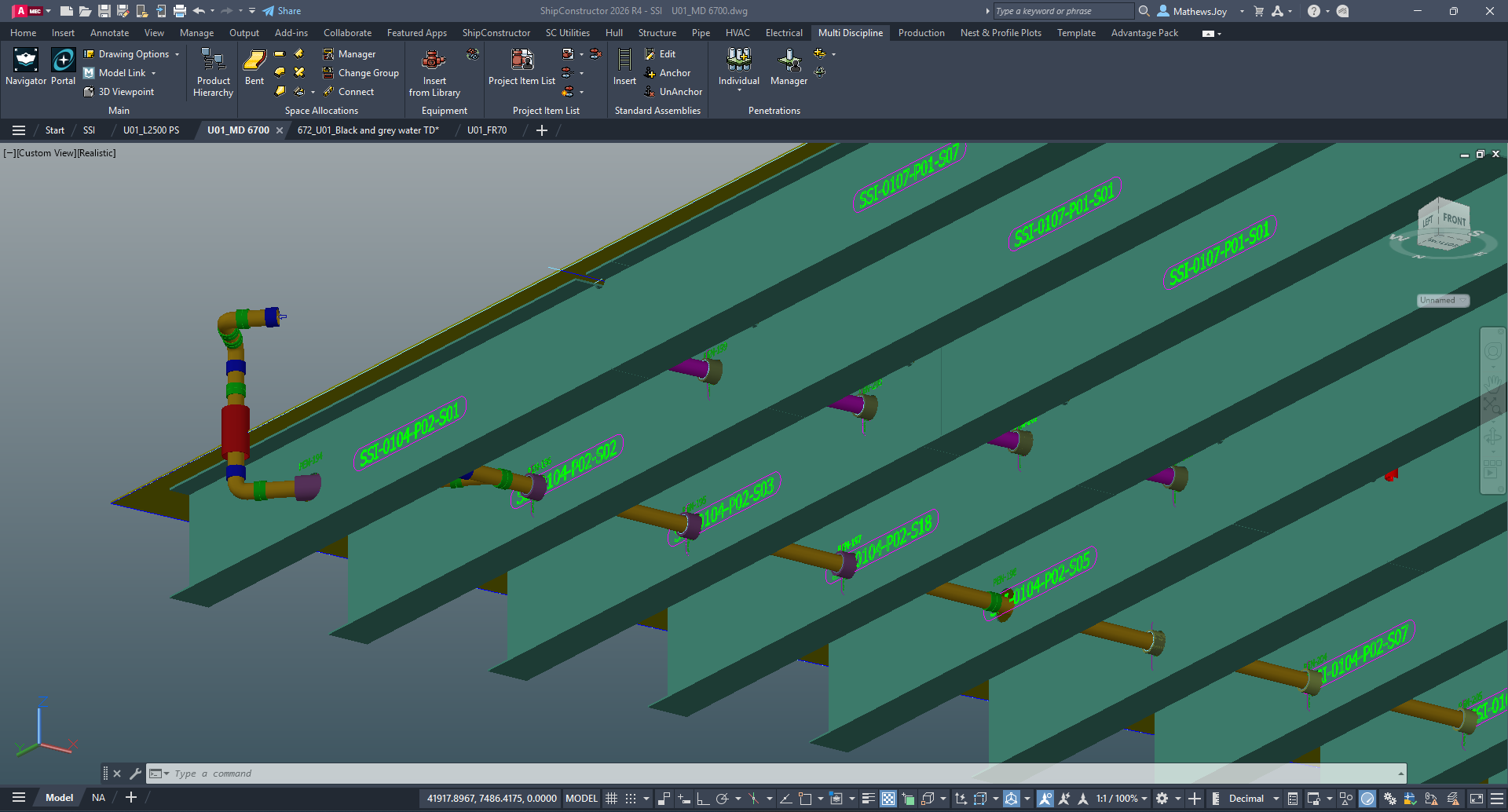
Penetrations are now enabled through profile parts such as stiffeners, faceplates, and fabricated profiles. The workflow is designed to feel familiar: use the existing dialogs, standards, and commands as part of your process to create, update, and manage these penetrations.
A new Penetrable Mark Text option also supports automatically adding penetration details directly onto parts for clearer downstream communication.
Equipment as penetrators
- Reduce custom modeling and minimize missed cutouts in production.
- Keep penetrations aligned with equipment changes through automatic review triggers.
- Improve consistency by managing equipment-driven penetrations the same way as other penetrations.
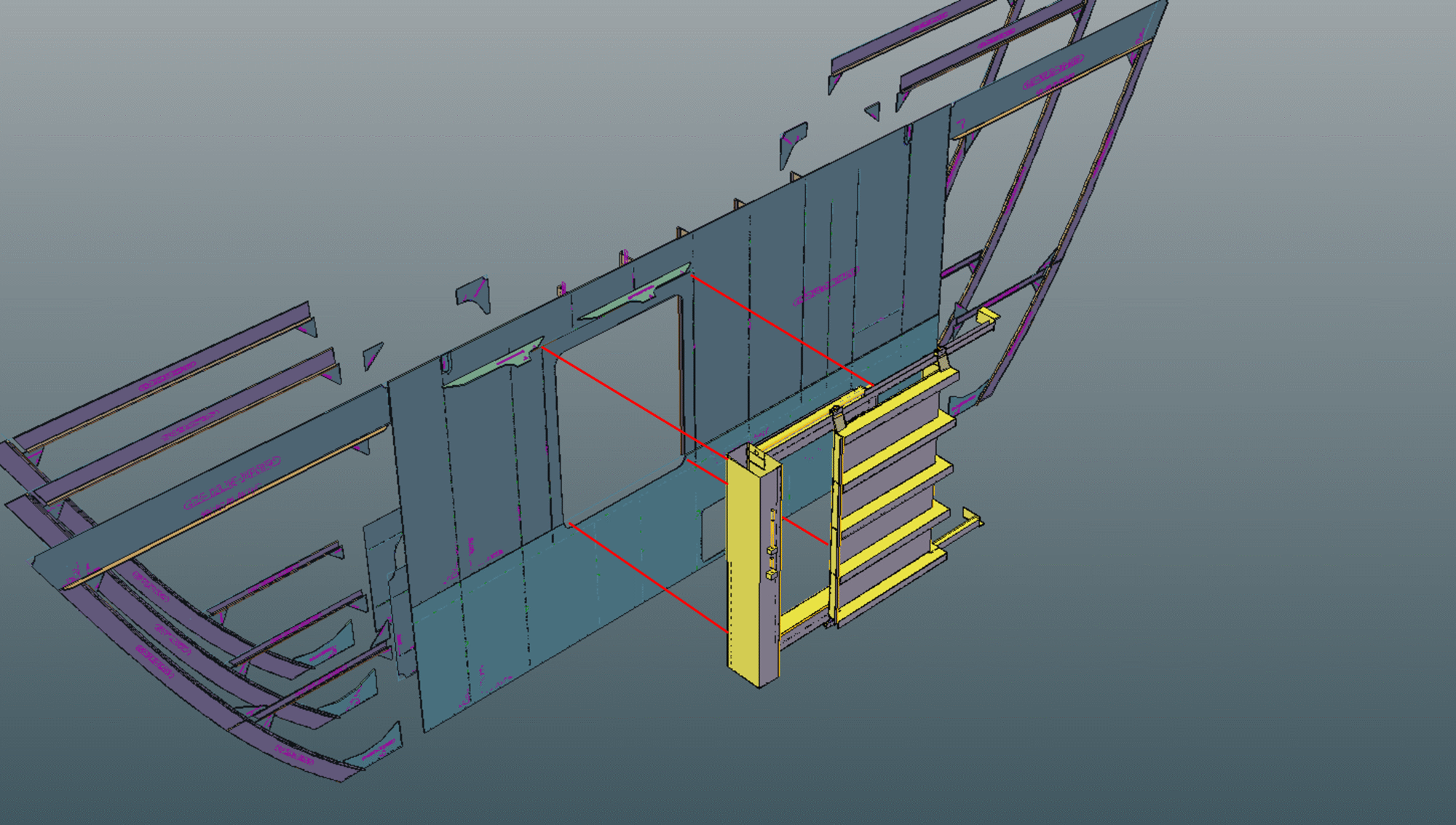
Equipment parts can now be used as penetration objects, giving designers a managed, traceable way to create penetrations for items like companionways, doors, transits, hatches, and electrical components.
Because the penetration is directly tied to the equipment object, changes to the equipment automatically trigger a review of the related penetration. These penetrations are managed through the Penetration Manager just like other penetrations, eliminating custom cutouts and manual space creation.
Penetrations in production BOMs
- Improve production readiness by making penetrations first-class BOM items.
- Reduce manual annotation effort and help prevent missing information on drawings.
- Support clearer fabrication and installation planning with consistent labeling.
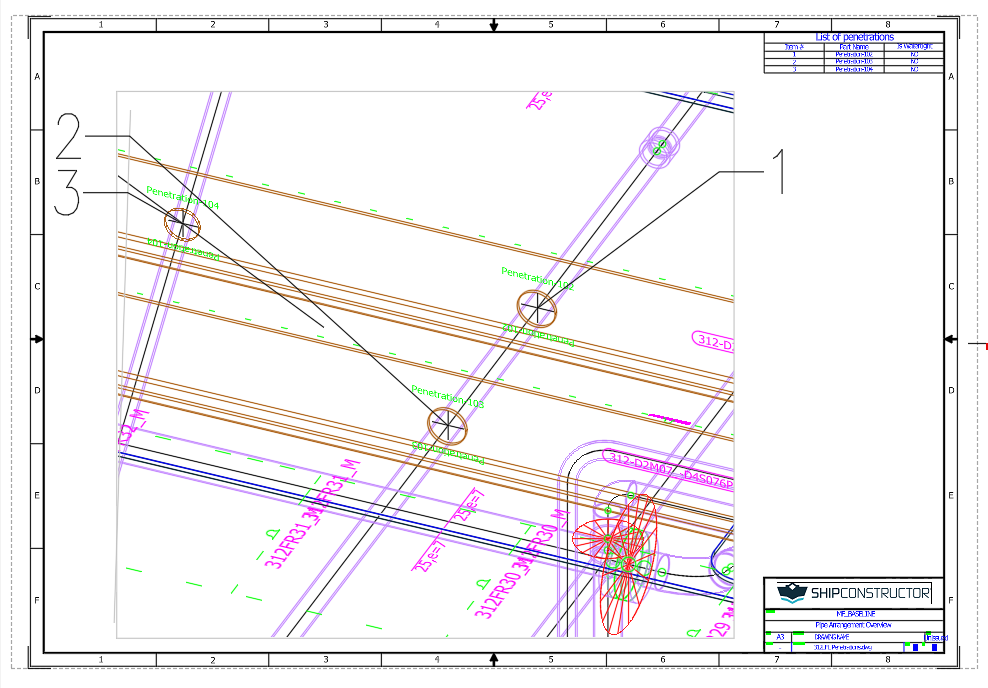
Penetrations can now be included in production drawing Bill of Materials outputs for arrangement, assembly, and spool drawings, with the option to label penetrations in the viewport from the BOM.
Produce drawings faster and with more predictable labeling
Production annotation and labeling
- Spend less time troubleshooting labeling behaviors and viewport edge cases.
- Reduce drawing rework by improving predictability and control.
- Move from model to shop-floor outputs with fewer manual steps.
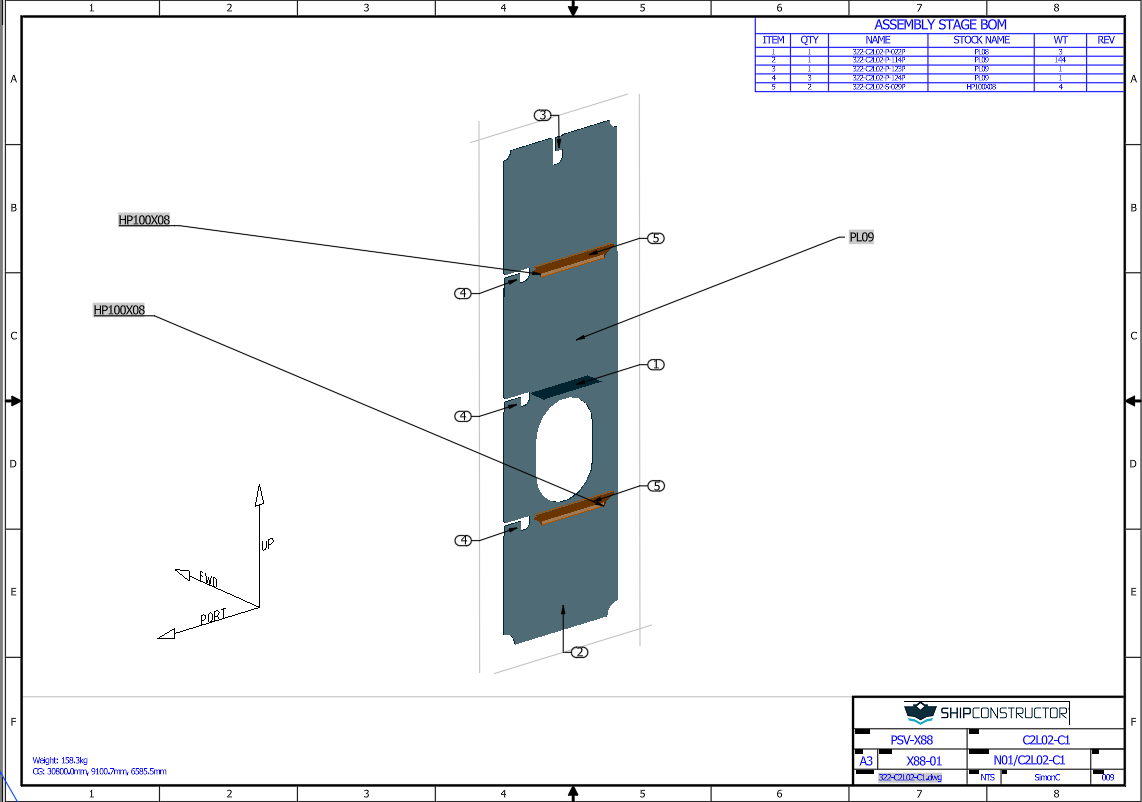
Production drawing creation and maintenance is improved with updates that strengthen both capability and usability across labeling and annotation workflows. Updates also extend to related features such as Keywords, Orientation Icons, and Viewports.
These improvements are aimed at ensuring that it is easy to generate the exact outputs you require.
Enrich workflows with SWBS integration
ShipbuildingPLM SWBS integration
- Keep SWBS aligned across systems without modeling changes.
- Improve downstream planning, reporting, and package context with consistent SWBS metadata.
- Reduce manual data handling when moving between engineering and downstream workflows.
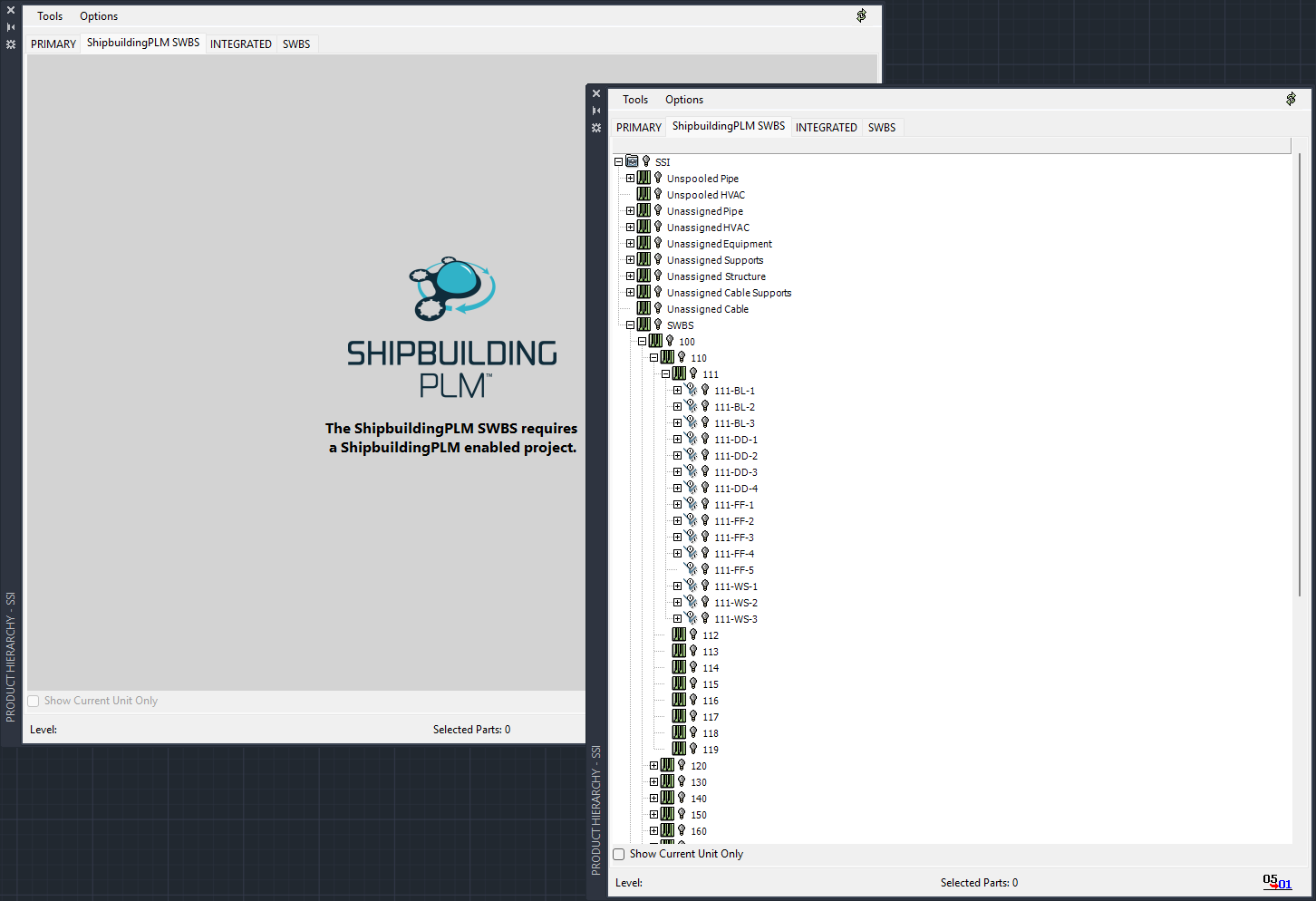
A Ship Work Breakdown Structure (SWBS) managed in ShipbuildingPLM can now be synchronized into ShipConstructor as a secondary product hierarchy. This allows local parts to be enriched with SWBS data regardless of object type, and that data can then be transferred back to ShipbuildingPLM as part properties contained in work packages.
Real-time visibility into engineering change execution across teams
ShipbuildingPLM and ShipConstructor task synchronization
- Track change execution progress without waiting for scheduled work package updates.
- Improve confidence that change is proceeding as scoped, especially with large teams and frequent edits.
- Reduce costly rework by improving visibility and alignment across engineering and change management.
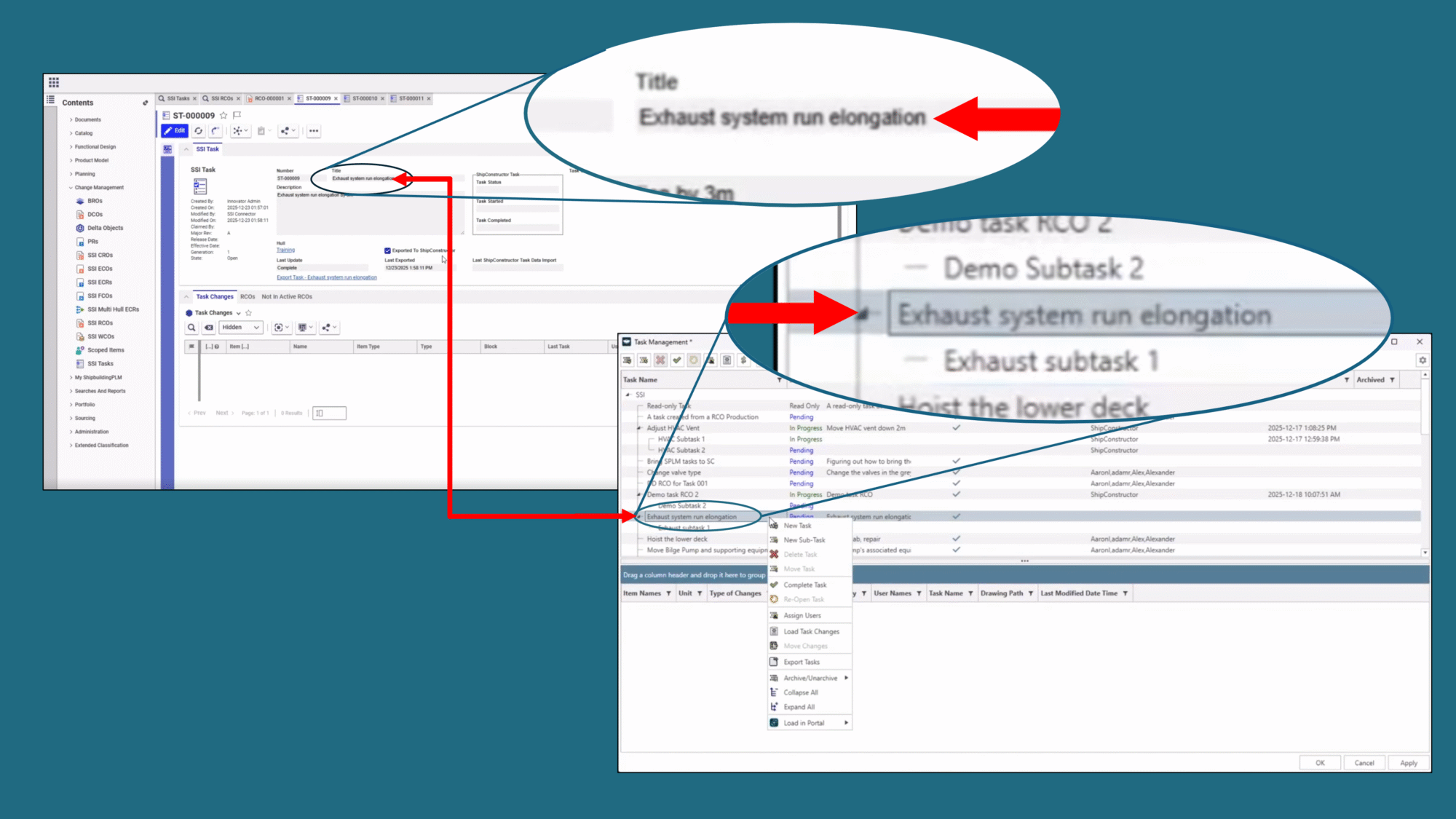
Many changes will be made to a project over the course of even a single day, especially when large teams are involved. ShipbuildingPLM 3.3 gives change managers and teams more visibility into the execution of a change, without disrupting their existing work package import schedule.
ShipbuildingPLM serves as the single source of truth for top-level task creation by allowing a user in ShipbuildingPLM to create a task in ShipConstructor, passing the name and description so that it is clear what needs to be changed.
This provides a container for the change to be undertaken in ShipConstructor, that will be fed back to ShipbuildingPLM to inform the Engineering Change Management (ECM) process of the status of the work.
Users can pull task information from ShipConstructor to see what has changed under a task, along with task status and subtask details. This supports change teams that need visibility into progress during the day, without relying solely on the timing of work package imports. Revised design data continues to transfer via work packages in the existing manner.
Additional Enhancements

Other Fixes and Improvements

Other Fixes and Improvements

New content on SSI Nexus
Register for the Webinar
Register for the webinar below to watch it live or recorded and see these new features and improvements in action. There’s no better way to experience what’s new for this release.

Shape the next SSI release
Take our quick survey to help us understand how you use SSI products.
System Requirements
| Supported Client Operating Systems | Windows 10, 11 (64-bit) |
| Supported Server Operating Systems | Windows Server 2025, 2022 |
| .Net Framework | .NET 8 (installed automatically) |
| SQL Servers | MS SQL Server 2022 CU 4+, 2019. SQL Server 2022 Express is included with the installer. Note: Express editions are suitable for projects with 5 or fewer users only. SQL Enterprise 2019+ for WorkShare Teams |
| Supported AutoCAD Platforms | 2026 AutoCAD, AutoCAD Mechanical, AutoCAD Plant3D (for ShipConstructor P&ID Design Validation functionality of Pipe) |
| Supported Navisworks Versions | 2026 Navisworks Simulate, Navisworks Manage |
| Side-by-side Installation Compatibility | ShipConstructor 2025 can be installed side-by-side with any previous major ShipConstructor version; each installed version of ShipConstructor requires its own dedicated instance of AutoCAD. |
| Supported Aras Innovator Versions | Aras Innovator 30 |
SSI Installation Guide
Access the latest ShipConstructor manual on SSI Nexus for detailed installation instructions and system requirements for this release.
Download Information
To download this release, visit the downloads section of SSI Nexus. There, you can get access to all the latest SSI releases.
Purchasing Information
For information on this release, to purchase the software, or to renew your Subscription contact an SSI Representative.